Sewing Journal Planner: A Practical Tool for Organized, Intentional Making
For many sewists—whether stitching their first garment or launching a small pattern business—the challenge isn’t skill or creativity. It’s consistency. It’s remembering which fabric swatch went with which version of the Tilly & Pippa Saltaire dress. It’s locating that note about sleeve ease adjustments from last March. It’s knowing whether you’ve already purchased lining for the upcoming coat project—or if it’s still sitting in your cart. The Sewing Journal Planner addresses these quiet but persistent friction points—not with automation, but with thoughtful, low-tech structure.
What It Is—and Why It Fits Real Workflows
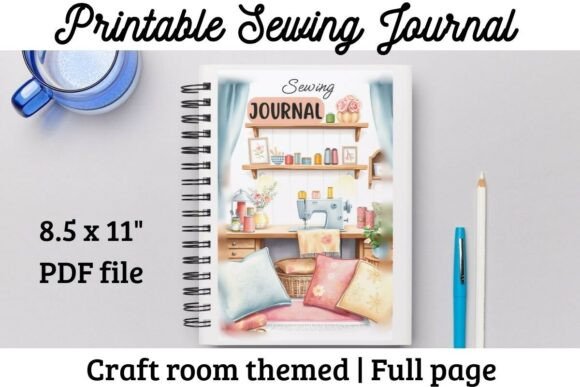
The Sewing Journal Planner is a 60-page printable PDF designed specifically for tracking, planning, and reflecting on sewing projects. It’s not a digital app, nor is it a pre-bound notebook filled with decorative flourishes that sacrifice function. Instead, it’s a deliberately minimal, modular system: clean typography, consistent spacing, purpose-built templates, and zero visual noise. Its value lies in how well its structure mirrors the actual workflow of making—research, sourcing, drafting, cutting, assembling, finishing, and evaluating.
Unlike generic bullet journals or craft planners, every section serves a documented need: a Yearly Project Calendar helps visualize seasonal goals without overcommitting; the Monthly Planner includes dedicated space for deadlines, fabric acquisition dates, and fitting appointments—not just due dates. The Project Planning Journal prompts users to record pattern name, size, alterations made, and even “lessons learned” after completion—a subtle but powerful habit for skill retention.
Strengths in Practice: Usability, Flexibility, and Longevity
One of the most practical aspects of the Sewing Journal Planner is its dual-mode usability. You can print individual pages as needed—say, only the Fabrics Log and Measurements Tracker before starting a new garment—or assemble the full journal as a spiral-bound reference. For those who prefer digital workflows, the PDF is optimized for annotation in apps like GoodNotes or Notability: text fields are clickable, checkboxes are interactive, and page layouts maintain integrity at standard tablet sizes (iPad Pro 11”, Surface Go 3). No reformatting required.
The Fabrics Log stands out for its balance of detail and speed. Rather than asking for fiber content, dye lot, or care instructions (which may be irrelevant for quick mending or scrap projects), it focuses on what matters most at point-of-use: fabric type (e.g., “cotton poplin”), width, yardage purchased, and where it’s stored (e.g., “Shelf B, Row 2”). This reduces entry friction while still supporting inventory accuracy over time.
Similarly, the Budget Tracker avoids oversimplification. It doesn’t just ask “How much did this cost?” It separates expenses into categories—pattern, fabric, notions, interfacing, thread, tools—and allows for estimated vs. actual comparison. For hobbyists scaling into small-batch production, this becomes foundational data for pricing decisions.
Who Benefits Most—and When It Makes Sense to Use It
The Sewing Journal Planner is especially effective for three overlapping groups:
- Intermediate sewists building a personal library of patterns and techniques—those who’ve moved beyond single-project tutorials and now manage multiple WIPs (works-in-progress) across seasons;
- Craft educators and workshop facilitators who need reproducible planning sheets for students or want to model documentation practices in class;
- Small creative business owners managing custom orders, sample development, or limited-edition releases—where tracking material usage, time investment, and client feedback directly impacts margins and reputation.
It’s less suited for absolute beginners still mastering seam allowances or machine threading—though they’ll benefit once foundational skills stabilize. Likewise, those seeking AI-powered reminders, cloud sync, or automated inventory reconciliation will find it intentionally analog. That’s by design: the Sewing Journal Planner prioritizes reflection over reaction, intentionality over immediacy.
Real-World Performance and Subtle Design Choices
In use over six months across varied projects—from quilting bees to tailored blazer prototypes—the Sewing Journal Planner demonstrated reliability in two key areas: consistency and adaptability. Because pages follow a predictable grid-based layout, users quickly internalize where to record measurements versus notes versus photos (via sticky notes or printed inserts). There’s no cognitive load from relearning navigation each time.
Its adaptability shows up in how users repurpose sections. One textile artist used the Notes Pages for color-matching swatches with Pantone references; another converted the Materials Log into a supplier contact sheet, adding email addresses and lead times. These aren’t features built in—but they’re enabled by the planner’s neutral, uncluttered framework.
Quality-wise, the PDF renders cleanly at standard home printer resolutions (300 DPI), with crisp lines and legible 10–12 pt fonts—even when scaled down for A5 printing. Bleed and crop marks are omitted, avoiding unnecessary complexity for casual users. And unlike some digital planners that lock users into rigid formats, this one allows selective printing: no need to bind unused pages or discard blank spreads.
Considerations and Limitations
No tool replaces judgment—and the Sewing Journal Planner doesn’t claim to. It won’t suggest pattern adjustments based on your body shape, nor will it calculate yardage for unusual widths. Its effectiveness depends on regular, light-touch engagement: 5–7 minutes per project update, not hour-long logging sessions. Users who expect passive tracking will find it requires active participation.
Also worth noting: the planner assumes access to basic printing capabilities or a compatible annotation app. While it works on free-tier versions of GoodNotes, advanced features like search-by-handwriting or linked page jumps require paid subscriptions. And because it’s a downloadable PDF—not a subscription service—it won’t receive automatic updates. That said, its core structure is stable enough that minor revisions (e.g., adding a new column to the budget sheet) can be done manually or via simple PDF editing tools.
Making It Work for Your Practice
If you’re evaluating whether the Sewing Journal Planner fits your routine, start small. Print just the Project Planning Journal and Fabrics Log pages. Use them for your next two projects—not to achieve perfection, but to notice where information gaps occur. Did you forget to note which needle size worked best? Was the lining fabric too stiff? Those observations, captured consistently, become your most valuable design intelligence.
For teams or teaching contexts, consider pairing it with shared digital folders: scan completed pages and store them alongside photos or pattern files. Over time, this builds an indexed, searchable archive—not just of outcomes, but of process.
In a landscape saturated with flashy productivity tools, the Sewing Journal Planner offers something quieter but more durable: clarity through constraint. It doesn’t try to do everything. It does one thing—helping sewists organize their thinking, materials, and time—with precision, restraint, and quiet confidence.