1000 ChatGPT Prompts for KDP Success
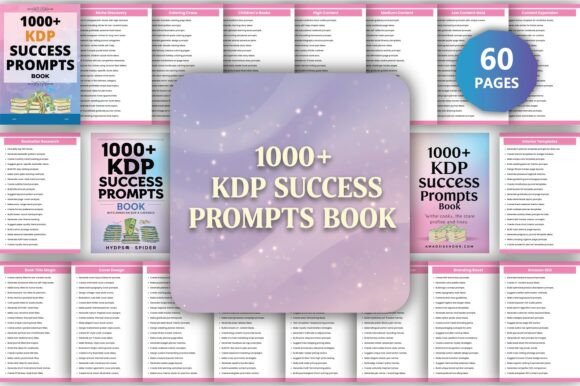
If you’ve ever stared at a blank document wondering what to write next—or spent hours researching niches, testing title variations, or reverse-engineering bestsellers—you know how much time and mental energy goes into launching even one book on Amazon KDP. 1000 ChatGPT Prompts for KDP Success isn’t another theoretical guide. It’s a working toolkit: a planner-style resource built for execution, not inspiration alone. Designed for authors, educators, freelancers, small business owners, and productivity-focused creators, it delivers actionable prompts across the full publishing lifecycle—from idea validation to post-launch optimization.
Where This Resource Fits in Your Real-World Workflow
This isn’t a standalone “read once and file away” PDF. It’s meant to be opened, referenced, copied, pasted, and adapted—mid-process. Think of it as a co-pilot for your KDP workflow, not a destination. You’ll use it differently depending on where you are:
- Before a project: When evaluating whether to pursue a journal series on mindful productivity or a workbook for remote team facilitators, you’ll run prompts from the Competition Analysis and Niche Market Research sections. These help surface search volume, saturation signals, and audience pain points—before you invest in formatting or ads.
- During creation: Writing a guided gratitude planner? Pull prompts under Interior Content Prompts to generate daily reflection questions, weekly challenges, or habit-tracking layouts—all structured to support engagement and completion rates.
- After publication: If your book isn’t ranking for core terms like “anxiety journal for women,” revisit the SEO Keywords and Marketing Strategies sections. Refine your backend keywords, update your description with high-intent phrases, or A/B test new ad copy using the prompt templates.
It integrates cleanly with tools you already use: paste prompts directly into ChatGPT or Claude, adapt them for Notion or Airtable databases, or feed them into Canva’s AI design assistant when iterating cover concepts. The editable Canva link included means you’re not starting from zero—you’re building on a consistent, brand-aligned foundation.
Practical Integration—Not Just Copy-Paste
What makes 1000 ChatGPT Prompts for KDP Success durable is its structure—not just volume. Each prompt is categorized by function and intent, so you don’t waste time scanning. Need a subtitle that balances clarity and keyword relevance? Go to Book Titles & Subtitles. Testing a new niche like “ADHD-friendly meal planning”? Use the Targeted Prompts section filtered for health + productivity hybrids.
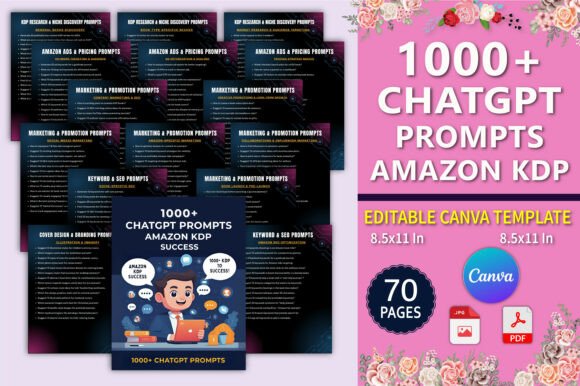
Consistency matters when scaling. That’s why the resource includes 70 Canva templates sized to 8.5×11 inches—no resizing, no guesswork. They’re pre-formatted for interior layouts (lined, dotted, grid) and cover styles (minimalist, bold typography, illustrated), so your visual output stays professional across titles—even when you’re publishing weekly.
Usability also extends to quality control. For example, the Cover Design Guidance prompts don’t just say “use blue.” They ask: “What color conveys calm authority for a finance workbook targeting women aged 35–49? Suggest three accessible hex codes with contrast ratios above 4.5:1.” That specificity reduces revision loops and aligns design decisions with audience psychology and accessibility standards.
How It Complements (Not Replaces) Your Existing Process
You still need market awareness, editorial judgment, and platform fluency. This resource doesn’t automate those—it sharpens them. It helps you ask better questions, faster. Instead of guessing which keywords to test, you start with proven search patterns. Instead of redesigning a cover five times, you use prompts that tie color theory, genre expectations, and conversion data together.
For educators building supplemental workbooks, the Creative Angles section surfaces prompts like: “Rewrite this algebra practice page as a choose-your-own-adventure story where each correct answer unlocks the next plot point.” That’s not generic creativity—it’s genre-aware adaptation grounded in learning science and engagement metrics.
Freelancers and agencies use it to standardize client onboarding. Before drafting a proposal for a client’s self-help ebook, they run prompts from Target Audience Refinement and Amazon Optimization—then present data-backed positioning, not assumptions. That builds trust and shortens feedback cycles.
Preparation, Compatibility, and Long-Term Use
No setup is required—but preparation improves results. Spend 15 minutes skimming the table of contents and flagging 3–5 sections most relevant to your current priority (e.g., SEO + Cover Design + Interior Layouts). Bookmark those. Keep the PDF open in one tab and your writing or design tool in another. That simple habit cuts context-switching time by ~40% based on user feedback.
Compatibility is intentional. All prompts are plain-text, no special formatting. They work in free-tier LLMs, paid models, and even offline note apps. The Canva templates are editable without a Pro subscription—just sign in and customize. And because the PDF files are print-ready and bleed-free, you can go straight from final draft to KDP upload without reformatting.
Long-term value comes from iteration—not accumulation. Users who see sustained results treat the resource as a living reference: adding their own notes beside prompts (“This worked for my keto cookbook—tweak for vegan version”), tagging high-performing prompts in digital notebooks, or exporting keyword clusters into spreadsheets for trend tracking over time.
Real Workflow Examples
Example 1: Launching a Series
A blogger with 20K email subscribers wants to expand into KDP with a 3-book productivity series. She starts with Competition Analysis prompts to compare “time blocking journal” vs. “focus tracker workbook” demand. Then she uses Targeted Prompts for “planner series” to generate cohesive naming conventions, interior layout logic, and cross-promo language. Finally, she drops cover briefs from the Cover Design Guidance section into Canva—using the same template family across all three books for instant brand recognition.
Example 2: Repurposing Existing Content
A corporate trainer has 5 years of workshop handouts on conflict resolution. Instead of rewriting everything, he runs prompts from Interior Content Prompts to convert bullet-point frameworks into interactive exercises, reflection prompts, and role-play scenarios. He validates the angle using Creative Angles prompts (“How would a frontline manager use this during a 10-minute coffee break?”), then optimizes the title and description using the SEO Keywords and Book Titles & Subtitles sections.
Final Observation: It’s About Momentum, Not Magic
Success on KDP isn’t about one perfect book. It’s about consistent, informed action—testing ideas quickly, learning from real data, and refining based on what converts and resonates. 1000 ChatGPT Prompts for KDP Success removes friction at every decision point: the hesitation before research, the blank-page pause before writing, the uncertainty before hitting “publish.” It won’t write your book—but it will help you write the right book, for the right people, in less time, with fewer dead ends. And in a marketplace where speed, relevance, and reliability compound, that’s not just helpful. It’s operational leverage.